
Payroll outsourcing is often perceived as a long and complex transition. Many businesses
assume it requires weeks of preparation, complicated system migration, and operational
disruption.
In reality, with a structured onboarding approach and proper coordination, your payroll
system can be implemented and fully operational in as fast as 7 days.
At PayrollPinas, we follow a proven transition framework designed to ensure speed,
accuracy,
and statutory compliance.
Yes — provided that:
The most critical success factor for rapid implementation is: Data Collection & Validation

Accurate payroll processing begins with accurate and complete information.
During onboarding, clients are requested to submit payroll data that will serve as the basis for payroll
computation, tax calculation, statutory contributions, payslip generation, and compliance reporting.
Incomplete or inconsistent data remains the most common cause of payroll onboarding delays.
To support accurate payroll onboarding, validation, and system configuration, we kindly request
your previous payroll records covering at least one full payroll cycle, together with 2 to 3 recent
employee payslips from staff with varying compensation structures.
Your Payroll Register or Payroll Summary allows our team to review earnings, deductions, tax
withholding, statutory contributions, and net pay details. The sample payslips help us validate payroll
computation behavior across different pay scenarios, such as employees with allowances, loans, or
varying salary structures.
These documents will be used for our parallel payroll run, ensuring that all payroll calculations are
properly validated and aligned prior to go-live.
⚠ Providing complete and accurate reference documents significantly reduces implementation delays.
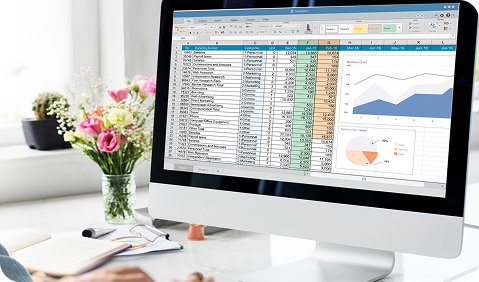
🗂 Option 1 – DATACON Excel File
For clients who prefer a structured and guided approach, PayrollPinas provides the DATACON
(Data Collection) Excel file. This template captures all essential payroll information,
including company payroll settings, employee master data, compensation details, statutory
numbers, loans, deductions, and other earnings.
The DATACON file offers a clear and organized format that helps ensure no critical payroll
information is overlooked. This method is ideal for organizations comfortable working with
Excel and preparing data offline before submission.

🌐 Option 2 – Online Data Entry Portal
For clients who prefer a fully digital experience, PayrollPinas offers an Online Data Entry
Portal. We can activate your payroll account immediately and provide secure login
credentials, allowing your authorized personnel to input payroll data directly into the
system.
The portal provides real-time saving, built-in validation checks, and reduced formatting
errors. This option is particularly beneficial for cloud-first teams and organizations that
prefer centralized online data entry.

📂 Option 3 – Existing Payroll Files (Auto-Migration)
Already maintaining your payroll data? No problem. Instead of completing the DATACON Excel
file or encoding information into the online portal, you may simply provide your existing
payroll records.
We accept payroll records in your existing data format, whether maintained in Excel, CSV,
payroll export reports, HRIS outputs, or database extracts.
Upon receipt, our technical team will carefully review your file structure, map the
necessary fields to PayrollPinas system requirements, and develop a customized import script
to automatically migrate your data. This approach minimizes manual encoding, reduces the
risk of errors, eliminates duplicate work, and significantly accelerates your onboarding
process.
For optimal migration results, we recommend ensuring consistent Employee IDs, clear column
headers, updated compensation details, and complete statutory information. Files containing
merged cells, inconsistent formatting, or incomplete records may require validation prior to
import.
⚠ Maintaining accurate and updated data is essential, as inconsistencies may impact payroll
validation and system configuration.
| Feature | DATACON Excel File | Online Data Entry Portal | Existing Payroll Files (Auto-Migration) |
|---|---|---|---|
| Data Preparation | Completed offline using structured spreadsheet | Entered directly into system | Uses your current files |
| Ease of Use | Ideal for Excel users | Ideal for digital workflows | Ideal for digital workflows |
| Manual Encoding Required | Minimal | Moderate | None or very minimal |
| Error Prevention | Good | Excellent (built-in validation) | Excellent after mapping |
| Speed of Submission | Depends on completion | Real-time saving | Fast if files are ready |
| Best For | Structured transitions | Cloud-first teams | HRIS/payroll exports |
| Implementation Impact | Fast with complete file | Fast with timely encoding | Fastest with clean files |
Regardless of your chosen method:
Day 1 – Discovery & Requirements Gathering
Day 2 – Data Collection & Validation
Day 3 – Payroll System Configuration
Day 4 – Parallel Payroll Testing
Day 5 – Adjustments & Final Approval
Day 6 – Go-Live Payroll Processing
Day 7 – Reports & Compliance Outputs
Within just 7 days:
A defined onboarding framework ensures:
Whether you’re moving from manual processes, spreadsheets, in-house management, or another provider, PayrollPinas ensures a fast, seamless, and fully compliant transition. Accurate. Reliable. Worry-free—so you can focus on growing your business.


